Compare rental properties
Put price, rent, financing and estimated operating costs beside each other.
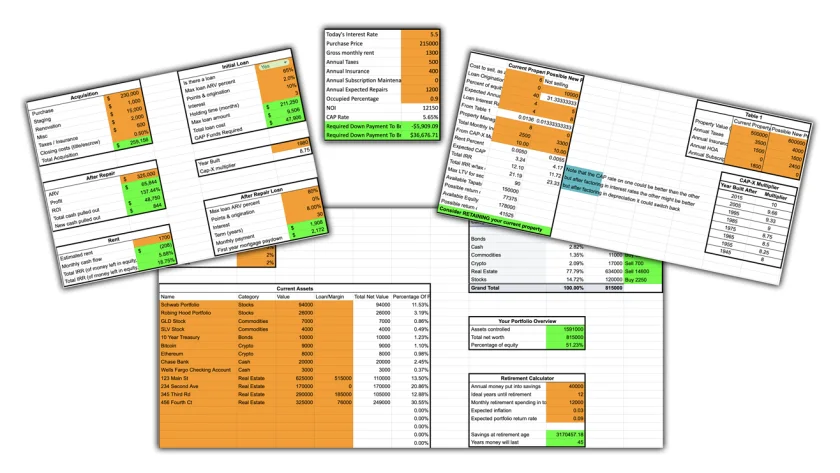
Compare rental properties, work through a flip and weigh keeping a rental against selling it. Use editable Google Sheets calculators to see how financing, expenses and your own assumptions affect the numbers.
Put acquisition, financing and ongoing costs in the same picture. Keep your own worksheets and revisit them as the figures change.
Put price, rent, financing and estimated operating costs beside each other.
Estimate the down payment needed to reach break-even cash flow.
Compare acquisition costs, loan fees, holding periods and estimated sale proceeds.
Follow buying, renovating, renting and refinancing through the same model.
Compare the existing rental with another property, including interest on equity borrowed through a HELOC.
Keep an independent copy in Google Drive. Change assumptions, edit formulas and reuse the worksheets.
Start Here explains the orange input cells, result colors and investment terms. Then choose a worksheet.
Compare the current property, a possible replacement and an investment funded with a HELOC.
Use shared financing assumptions with each property’s price, rent and age.
Compare interest-only financing with a 30-year amortizing loan after estimated operating expenses.
Work through acquisition, renovation, closing costs and profit at different holding periods.
Estimate the cash invested, cash returned at refinancing and ongoing cash flow.
Estimate acquisition costs, mortgage payments, principal paydown and annual cash flow.
Compare your own allocation targets with net asset values, then explore savings and retirement assumptions.
Your personal calculator page opens after you submit your name, email and phone. Choose Create my Google Sheets copy, sign in to Google if needed and confirm Make a copy. Bookmark your access page to return.
You own the copy you create in your Google account. Your changes stay in your copy; creating it does not share your working spreadsheet with us.
Yes. Orange cells are the usual starting inputs, but your copy belongs to you. You can also adapt formulas and assumptions to your own workflow.
Your copy is independent. Future fixes do not overwrite it. Return to your personal access page to create a newer copy when you want one.
No. These are planning estimates based on your inputs. Verify actual financing, costs, taxes and property facts before making a decision. Tax-writeoff estimates start with a 25% tax bracket.
Get editable investment worksheets and test the assumptions behind your next property decision.
Get my Investment Calculators