Start with your own home
Choose clear exterior photographs you have permission to edit.
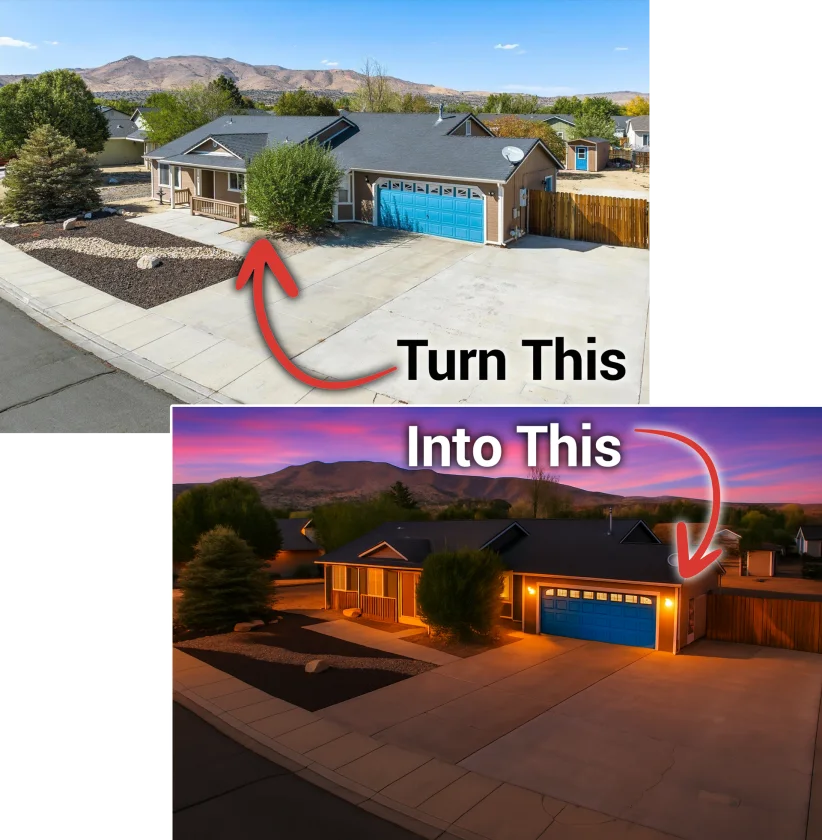
Turn your daytime home photos into bright, inviting twilight images. Upload your exterior photos, compare before and after, and download the results.
Give a daytime exterior photo the warm light of twilight. This AI Photos tool uses a custom editing approach to brighten the windows, soften the daylight and create a colorful evening sky while asking the AI to preserve the home, yard and structure. Compare the original with the finished image, check every detail and download the version you want to keep.
Choose clear exterior photographs you have permission to edit.
The editing instructions ask the AI to preserve the home’s structure, yard and details.
Aim for warm windows and a colorful sky while keeping the property easy to see.
Inspect the original and edited image side by side. Keep only results that accurately represent the home.
A few clear steps, with your completed photos saved as you go.
Use JPEG, PNG or WebP photos, no larger than 10 MB each. Leave out people and private information.
Follow upload and processing progress with an estimated time remaining. Completed edits are saved; uncertain requests are never repeated automatically.
Compare each edit against its original, then download your selected twilight photos.
The tool opens after you provide your name, email and phone. We also email your personalized access link. This requested email does not subscribe you to a newsletter.
Use clear daytime exterior photos with the home visible. The tool creates twilight lighting; it is not an interior renovation or virtual-staging service.
The instructions ask it to keep the home, structure and yard unchanged, but AI can still invent or alter details. Check windows, rooflines, landscaping and every property feature before using an image.
Originals and results belong to the browser that creates them and remain available for 24 hours. Forwarding your access link opens a separate workspace. Download anything you want to keep.
Selected photos are normalized to remove metadata, then sent to OpenAI for editing. Confirm your rights to send them and remove private or identifying information first.
Review each image for accuracy and confirm the advertising, disclosure and photo rules for its destination. The tool never publishes or saves anything to MLS.
Start with a clear exterior photo.
Open the AI Photos tool